
企业 AI 演示很好,员工为什么不用?从工具上线到工作方式改变
购买账号不是采用,使用次数也不是价值。结合现场研究与2026年企业实践,识别非技术团队的采用障碍,设计有基线、有责任人、可退出的小范围试点。
Topics & keywords
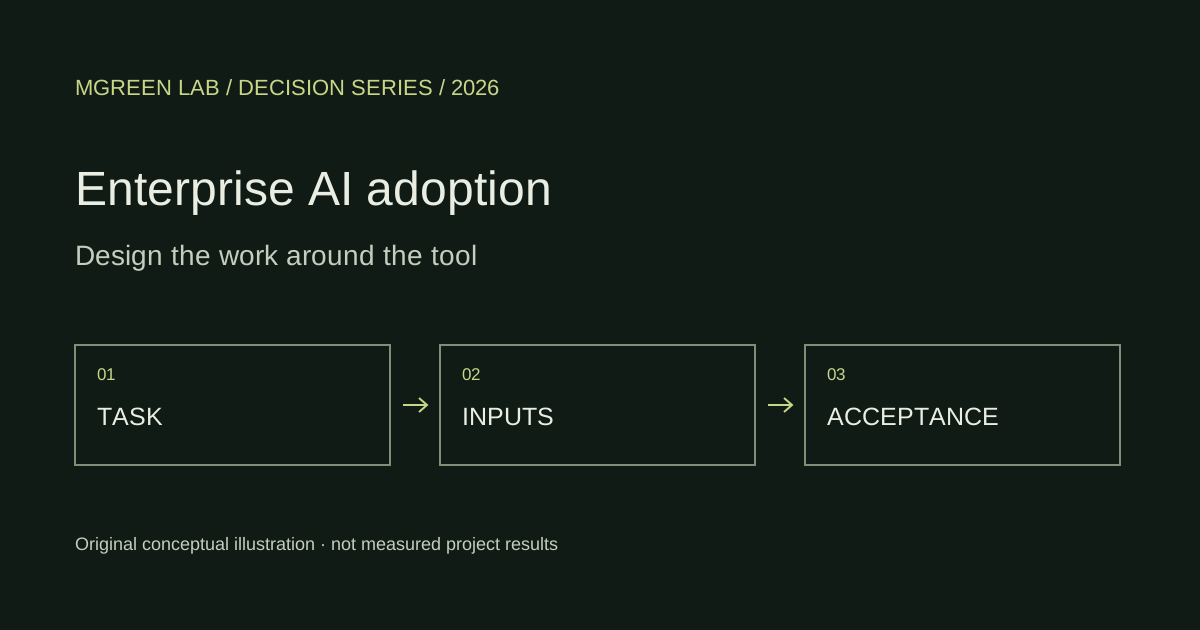
Moving from an impressive demo to routine use often depends on task entry, information preparation, verification and handoff ownership. Start with a recurring task whose output can be accepted, and make the whole workflow usable. A general instruction to “use more AI” is not an operating design.
01 | Not using AI can mean different things
An employee may not recognise the right moment to use AI, lack access to the inputs, or need to copy information into another system. Someone who tried it may find verification harder than doing the task again. These are different problems: task discovery, access, interaction friction and trust in output.
Benefits and responsibility may fall on different people: faster drafting can leave reviewers with more unfiltered material. Counting generations rewards pushing work downstream. Follow a real task until the receiving person accepts it, rather than asking only whether users like the assistant.
02 | What workplace evidence establishes
A 2025 QJE study of 5,172 support agents reports a 15% average increase in issues resolved per hour, with substantial variation across workers. This is a result for a specific support process, not a 15% time-saving guarantee for office work. [1]
The May 2025 version of a cross-firm randomised study includes 7,137 workers. Its intent-to-treat estimate is about 1.3 fewer hours of email per week; the estimate for sustained users is larger, but the two are not interchangeable. Meeting time did not significantly change, suggesting different barriers for individual habits and coordinated routines. [2]
Do not turn percentages from different studies into a ranking of occupations most suited to AI. The useful lesson is to identify the task and recipient, then test local outcomes. Our existing coding-delivery article examines developer measurements and 2026 measurement bias; this article focuses on adoption in nontechnical teams.
Figure 1 · Three field evidence types, separate denominators
| Study and sample | Reported measure | Not established |
|---|---|---|
| Support field study · n=5172 | Average issues resolved/hour +15% [1] | General office cost saving |
| Cross-firm randomised trial · n=7137 | ITT email time −1.3 hours/week [2] | Profit or meeting coordination gains |
| Company research disclosure · n=388 | Training/collaboration comparison; effects not pooled [3] | Independently audited business return |
03 | A 2026 case: training within real work
In April 2026 Gap Inc. described a field study with Microsoft involving 388 employees, comparing training and collaboration approaches and informing its enablement strategy. Its relevance is the separation of access from how people actually work with the tool. [3]
This is a company–vendor research disclosure, not an independent benefit assessment for your organisation or proof that a training format raises profit. The transferable practice is to teach input examples, acceptance criteria and verification within a real task, then observe where workers get stuck.
A 2026 Richmond Fed study also distinguishes executives’ productivity perceptions from realised cost and staffing changes. Management optimism is evidence about beliefs, not audited cash flow. We therefore recommend separate records for use, quality, effort and cash benefits. [4]
04 | Choose a workflow worth testing
Prioritise frequent, bounded tasks that can be checked, such as turning sourced meeting notes into draft actions or verified product information into draft sales responses. Define permitted inputs, required source evidence and the final approver. An undefined general assistant cannot own an undefined decision.
Map the current workflow as trigger, preparation, processing, verification and handoff; record effort, rework and waiting. Faster drafting may not shorten delivery when approval is the bottleneck. When inputs are frequently obsolete, fix ownership and updates before choosing a model.
Novices and experienced staff may face different benefits and checking burdens. Include realistic difficulty, common exceptions and varying experience. Record eligible tasks where the tool was not used, not only successful conversations selected for demonstration.
Figure 2 · From access to accepted work
- 01Trigger & eligibility
- 02Inputs & access
- 03Use & verification
- 04Acceptance & handoff
05 | A pilot scorecard beyond logins
Define adoption against eligible tasks: how many were attempted, completed and accepted by the recipient? Record reasons for non-use and the fallback route. Break down by role and task rather than relying only on organisation-wide account activity.
Agree quality criteria in advance and, where feasible, blind reviewers to the workflow used. Effort includes preparation, prompting, checking, correction, recipient rework and training. Background latency is not automatically human effort. Retain the previous workflow during the pilot so mandatory use is not mistaken for voluntary adoption.
A short pilot can inform continuation, revision or a pause, but cannot establish long-run organisational productivity. Predefine acceptable quality, checking burden, data rules and stop conditions. With small samples, show cases and spread rather than hiding variation behind an attractive average.
Worksheet · What should be confirmed before proceeding?
06 | Turn the question into a bounded engagement
For a team without a defined use case, begin with workflow discovery: deliver the task map, adoption barriers, input ownership, a prototype and a pilot plan. For a stable process, move to an embedded interface and feedback loop. Discovery can conclude that a build should wait; agent counts are a weaker deliverable.
The attached screening worksheet is freely downloadable. To discuss a project with Mgreen Lab, bring an anonymised input example, acceptance criteria and the current handoff steps; do not include sensitive client data in an initial enquiry. These support scoping discovery, an interaction prototype and pilot design, without promising unmeasured savings.
Take the worksheet or discuss a bounded question
Download bilingual worksheet (Markdown)
Use anonymised task or data examples to describe the problem, desired deliverable and acceptance criteria.
Discuss requirements with Mgreen Lab07 | Method, sources and related reading
Mgreen Lab public-evidence research, checked through 23 October 2026. Workflow figures and the pilot checklist are editorial frameworks, not validated organisational maturity scales. No private company logs were used and no reader-specific adoption rate is inferred.
Inspectable sources
- Brynjolfsson, Li & Raymond — Generative AI at Work2025-05 · Accessed: 2026-10-23Staggered rollout in one support setting; not general office ROI.
- Dillon et al. — Shifting Work Patterns with Generative AI (May 2025 version)2025-05-06 · Accessed: 2026-10-23Working paper with vendor-affiliated authors; version-specific sample; email time is not profit.
- Gap Inc. — Human-Centered AI Training and Enterprise Adoption2026-04-16 · Accessed: 2026-10-23Joint company–vendor account; no independent audit of business profit; detailed study linked but dynamic page unreadable in research tool.
- Richmond Fed — How Might AI Change the Workplace?2026-03-25 · Accessed: 2026-10-23Executive reports and expectations are not causal audited savings.
AI coding delivery economics · AI in design
企业 AI 从演示走向常用,难点往往在任务入口、资料准备、结果核查和交接责任。值得先做的是选出一个反复发生、输出能验收的工作任务,把这些环节做成可用流程;不是要求所有员工先养成“多用 AI”的习惯。
01|先把“不用”分成不同问题
员工可能不知道何时用,也可能知道用途却拿不到资料、没有输入权限,或者每次都要把内容复制到另一个系统。有的人试过一次,发现核查成本比重做更高。它们分别是任务发现、信息访问、交互摩擦与质量信任问题,不能都归为态度保守。
另一个常见障碍是收益与责任不在同一人身上:起草者更快了,审核者却收到更多未经筛选的内容。若只考核生成次数,系统会奖励把工作推给下一环节。访谈应追踪一次真实任务,直到接收方确认结果可用,而不是只问“你喜不喜欢这个助手”。
02|现场证据支持什么,不能保证什么
2025 年发表于 QJE 的客服研究覆盖 5,172 名坐席,报告 AI 辅助使每小时解决问题数平均提高 15%,且人员之间差异明显。这个口径是具体客服流程的解决效率,不是所有办公室任务都能节省 15% 工时。[1]
另一项跨企业随机试验的 2025 年 5 月版本覆盖 7,137 名员工,分配获得工具的意向处理效应是每周邮件时间减少约 1.3 小时;持续使用者的估计更大,但两者不能互换。会议时间未显著变化,提示个人能改变的习惯与需要共同协调的流程有不同阻力。[2]
因此不宜把不同研究的百分比拼成“哪种岗位最适合 AI”的排行榜。研究给出的更有用启发是:先找任务、明确接收方,再验证本地结果。对编码实测及2026年测量偏差的讨论,见本站既有交付经济性文章;本篇聚焦非技术团队的采用设计。
03|2026 年企业实践:培训要进入真实任务
Gap Inc. 于2026年4月披露与 Microsoft 合作、涉及388名员工的现场研究,比较培训和协作方式,并将结果用于员工赋能策略。该案例的价值是把“给账号”与“怎么使用”分开检验。[3]
这仍是企业与供应商合作披露,不能代替你公司的独立收益评估,也不能证明某种培训必然提高利润。可以借鉴的是把培训材料变成具体任务的输入范例、输出要求与核查方法,并在任务现场观察员工哪里停下来。
2026年 Richmond Fed 的企业高管研究也区分了生产率感知与已实现的成本、人员变化。管理者的乐观判断是研究对象,不是经过审计的现金流。我们据此建议把使用、质量、工作量和现金收益分成四层记录。[4]
04|选择一个值得试的工作流
优先选择高频、边界清楚、可人工复核的任务,例如把有出处的会议纪要整理为待办草案,或将已核验产品资料改写为销售答复草案。先限定哪些资料可以输入、哪些事实必须有来源、谁确认最终版本。不要让一个“万能助手”承担未经定义的决策责任。
把当前流程画成“触发—准备—处理—核查—交接”,逐步记录耗时、返工和等待。若业务瓶颈主要是等审批,起草速度再快也未必缩短交付时间。若输入资料经常过期,先修复内容责任与更新机制,再讨论模型选型。
新手与熟练员工可能有不同收益与核查负担。试点应覆盖真实任务难度、典型例外和不同熟练度,记录没有使用的合格任务,而不能只收集展示成功的对话。
图 2 · 从可用工具到可验收任务
- 01触发与任务资格
- 02资料与权限
- 03操作与核查
- 04验收与交接
05|一张不把登录次数当收益的试点记分表
采用率的分母应是预先定义的合格任务:有多少任务被尝试、完成并经接收方验收?同时记录拒用原因与退出路径。按岗位、任务类型观察,比把全公司账号活跃度汇成一个数字更能定位问题。
质量要先约定验收标准,最好让评审不知道结果来自哪种流程。工作量则纳入准备、提示、核查、修正、接收方返工与培训,不把后台等待一律当作员工工时。试点期间同时保留原工作方式,避免把强制使用误读成自愿采用。
一个短周期试点可以帮助决定继续、调整或暂停,但不足以推断长期组织生产率。预先写明可接受质量、最大核查负担、数据处理规则和停止条件。样本太少时呈现个案与区间,不用一个漂亮均值掩盖差异。
工作表 · 进入下一步前要确认什么?
06|从内容到项目:先交付可执行的诊断
对尚未确定任务的团队,合适的起点是工作流诊断:交付任务地图、采用障碍、资料责任、原型和试点评估方案。对已有稳定流程的团队,再做嵌入式界面与反馈机制。诊断也可以得出暂不建设的结论;这比承诺部署多少个智能体更有用。
本文附带的筛选清单可直接下载,不要求先交出客户资料。若希望与 Mgreen Lab 讨论,请先带来一个任务的匿名输入、验收标准和当前交接步骤;不要在首次联系中发送客户敏感数据。双方可据此界定需求研究、交互原型与试点设计的范围,不承诺未经测量的节费或收益。
带走工作表,或讨论一个范围明确的问题
可使用匿名任务或数据样例,说明当前问题、预期交付物和验收方式。
与 Mgreen Lab 讨论需求07|方法、来源与延伸阅读
Mgreen Lab 公开证据研究,核查截至2026年10月23日。图表中的流程与试点清单是编辑建议,不是经过验证的组织成熟度量表;未使用公司的私有日志,也不推断读者企业的实际采用率。
可核查来源
- Brynjolfsson, Li & Raymond — Generative AI at Work2025-05 · 访问:2026-10-23单一客服场景的分批引入研究,不代表通用办公收益。
- Dillon et al. — Shifting Work Patterns with Generative AI (May 2025 version)2025-05-06 · 访问:2026-10-23工作论文,作者含供应商研究人员;样本以所读版本为准,邮件耗时不等于利润。
- Gap Inc. — Human-Centered AI Training and Enterprise Adoption2026-04-16 · 访问:2026-10-23企业与供应商联合披露,无独立利润审计;所链研究页面为动态内容,本次工具未读到全文。
- Richmond Fed — How Might AI Change the Workplace?2026-03-25 · 访问:2026-10-23高管报告与预期,不是经过审计的因果节费证据。